FaceSwapeFaceSwape
← Home

390+ estimated searches/month

ai video face swap free — fast and easy online

Try an AI video face swap workflow without installing an app: upload a clear face photo, add an MP4, MOV, or WebM clip, and preview the setup in your browser. A paid plan is required to render and download the final video.

How to ai video face swap free with FaceSwape

Four steps. No editing skills needed.

  1. 1

    Upload face photo

    Choose a clear photo facing the camera.

  2. 2

    Add video

    Upload an MP4, MOV, or WebM video (max 30 seconds).

  3. 3

    Generate

    AI swaps the face in under a minute.

  4. 4

    Download

    Save the HD result and share anywhere.

Why FaceSwape for ai video face swap free?

  • HD output up to 720p with natural blending
  • Done in ~60 seconds — one of the fastest face swaps
  • Original audio and motion preserved
  • Works on mobile and desktop, no download
  • Start free, upgrade to Pro for no watermark

Costs, limits, and supported output

FaceSwape offers free account creation, but final AI video generation is not unlimited or completely free. A paid plan is required to process and download the result. This keeps the limits clear before you spend time preparing a clip.

The current workflow supports source videos up to 30 seconds and 50MB. Paid exports can be rendered up to 720p without a watermark while preserving the source motion, background, and optional audio.

When this AI face swap workflow is a good fit

It works best for short social clips, memes, reaction videos, personalized messages, and creative concepts where one visible face remains reasonably clear. Everything runs in a desktop or mobile browser, so no editing timeline or local GPU is required.

It is not designed for long-form footage, photo-to-photo face editing, or content made without the depicted person's permission. Longer videos need to be trimmed into clips before upload.

Tips for a more realistic face swap

Your source files have the biggest effect on quality. Check these before you generate.

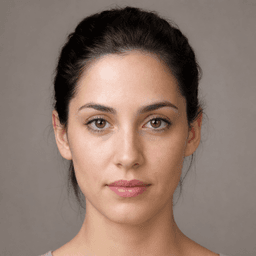
Choose a clear face photo

Use a sharp, high-resolution photo with the face looking toward the camera. Avoid blur, sunglasses, and heavy shadows.

Match the face angles

A front-facing photo works best with front-facing video. Similar angles make the blend look more natural.

Start with a good video

Bright, stable, lightly compressed video helps the AI preserve facial detail from one frame to the next.

Try another source photo

If the first result is not quite right, test a photo with lighting and expression closer to the source video.

Ideas for your face swap video

Create responsibly and only use a face you own or have permission to use.

Social content

Make creative clips for TikTok, Reels, and YouTube Shorts.

Memes and parodies

Turn a short scene into a personal, shareable joke.

Surprise messages

Create a different kind of birthday or event greeting.

Creative concepts

Test characters and visual ideas before a larger production.

FAQ — ai video face swap free

Is ai video face swap free on FaceSwape free?
You can create a free account. HD generation and watermark-free downloads require a subscription. Cancel anytime.
How do I ai video face swap free?
Upload a clear face photo, add a source video (MP4/MOV/WebM, max 30 seconds), then click Generate. AI swaps the face in under a minute.
What file formats are supported?
Photos: JPG, PNG, WebP. Videos: MP4, MOV, WebM. Max 50MB per file.
Is it safe and private?
Uploads are only used for your face swap. We don't sell your data. See our Privacy Policy for details.

Ready to try ai video face swap free?

Open the FaceSwape studio, upload a photo and video, and get HD results in one minute.

Open studio free